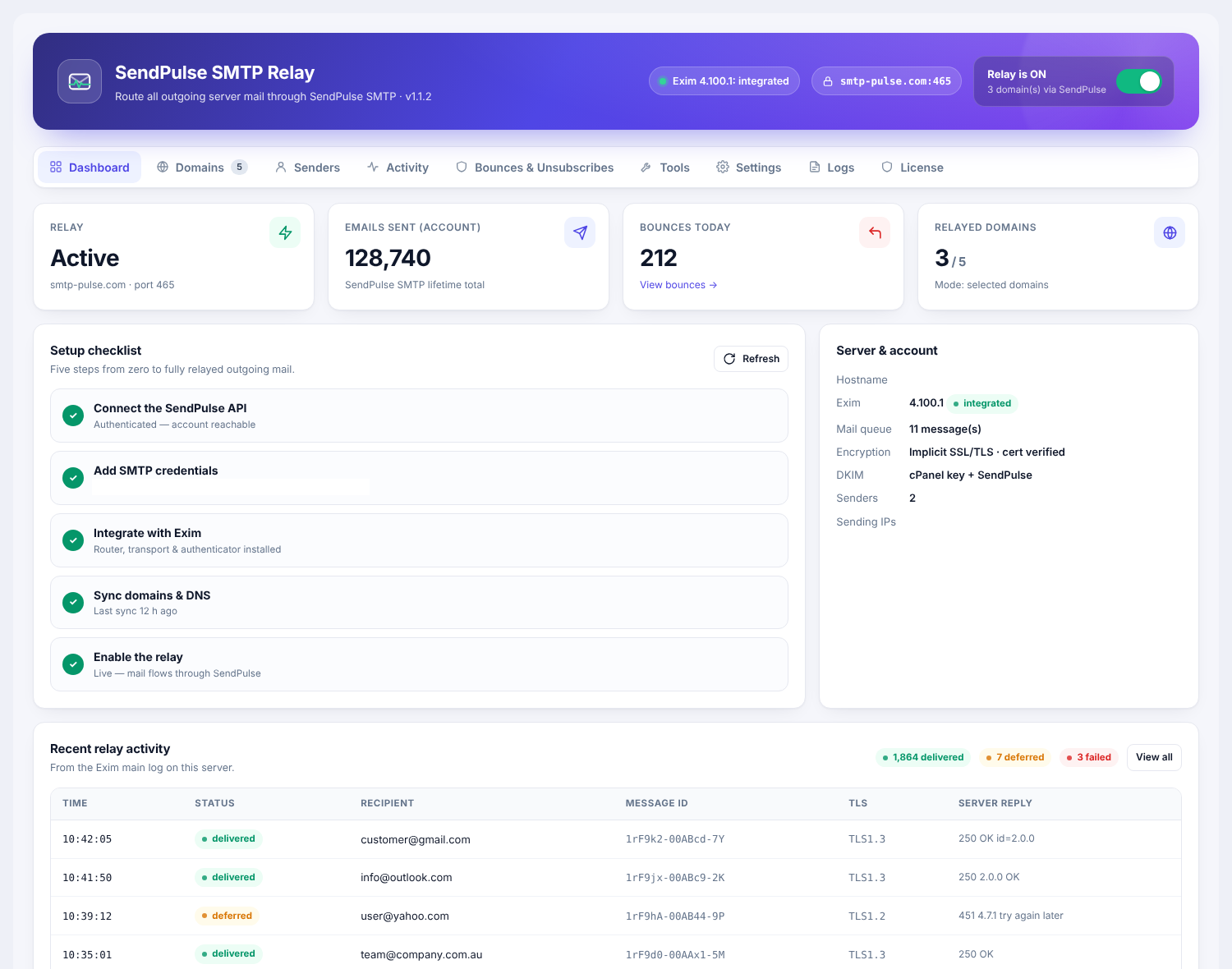
cPanel / WHM Plugin
Sends all outgoing email from your cPanel & WHM server through SendPulse SMTP, with one switch in WHM. Exim still queues, rate-limits, logs and scans mail as before.
How It Works
1
From
Exim queues, rate-limits, logs and scans mail exactly as before.
2
Through
Only the final hand-off goes to smtp-pulse.com, over an encrypted and authenticated connection.
3
Switch
Turn relaying on or off from the WHM header. Takes effect immediately, with no Exim restart.
Connect SendPulse, choose domains, watch delivery
Read-only page at Email › SendPulse SMTP
Command-line tool for scripting, cron and SSH
Features
Port 465 SSL/TLS by default, or 587 / 2525 with STARTTLS required. Optional certificate verification.
Adds clearly marked blocks to /etc/exim.conf.local, backs up first, validates, and rolls back automatically on error.
Hourly sending limits, suspended outgoing mail and mail counting still apply to every account.
Finds every domain on the server and registers it as a SendPulse sending domain.
Adds the SendPulse DKIM record and merges SendPulse into existing SPF records. Optional DMARC.
New accounts, addon, parked and sub domains are picked up by hooks and a 6-hourly sync.
Add, activate, resend codes for and delete SendPulse sender addresses.
Exim relay log, SendPulse delivery history, opens and clicks, bounces and unsubscribes.
Test emails, live SMTP login test, route checker, Exim config preview and repair.
Per-user status and copy-ready DNS records in cPanel. No secrets are exposed.
Requirements
cPanel & WHM with the Jupiter theme.
AlmaLinux, Rocky Linux, CloudLinux, CentOS or Ubuntu (any OS cPanel supports).
cPanel’s bundled PHP 7.4 or newer with the curl extension.
Root over SSH.
Outbound TCP 465 (or 587 / 2525) allowed. The installer opens these in CSF automatically.
An activated SendPulse SMTP account. SendPulse only lets you send over SMTP after your profile has been approved.
Account settings › API › Client credentials
Same page as the API ID
SMTP › Settings › General
SMTP › Settings › General. Not your dashboard password.
Installation
Installation does not change how mail is delivered. The relay stays off until you switch it on in WHM.
Log in over SSH as root
Run the commands
Check that every installer line shows a green tick, ending with “Done”
4
Open WHM and go to Plugins › SendPulse SMTP Relay. If the menu entry is missing, refresh the WHM page once.
					wget https://plugins.mrnerds.com.au/sendpulse-smtp-whm-1.1.2.zip
cd /root
unzip sendpulse-smtp-whm-1.1.2.zip
cd sendpulse-smtp
bash install.sh
$5.00 per month. Questions about the plugin? Contact our team.