Sends your server’s outgoing email through SMTP.com’s transactional relay over an encrypted connection. It also registers every domain on the server with SMTP.com and sets up its SPF and DKIM records.
Exim checks the sender’s domain on each outgoing message. Mail between local mailboxes on the server is never relayed.
2
Through
SMTP.com
If the sender’s domain is enabled, the message goes to send.smtp.com instead of being delivered directly.
3
Switch
On or Off in WHM
Turn on Relay control on the Dashboard. The plugin writes the Exim settings, rebuilds and restarts Exim.
WHM plugin
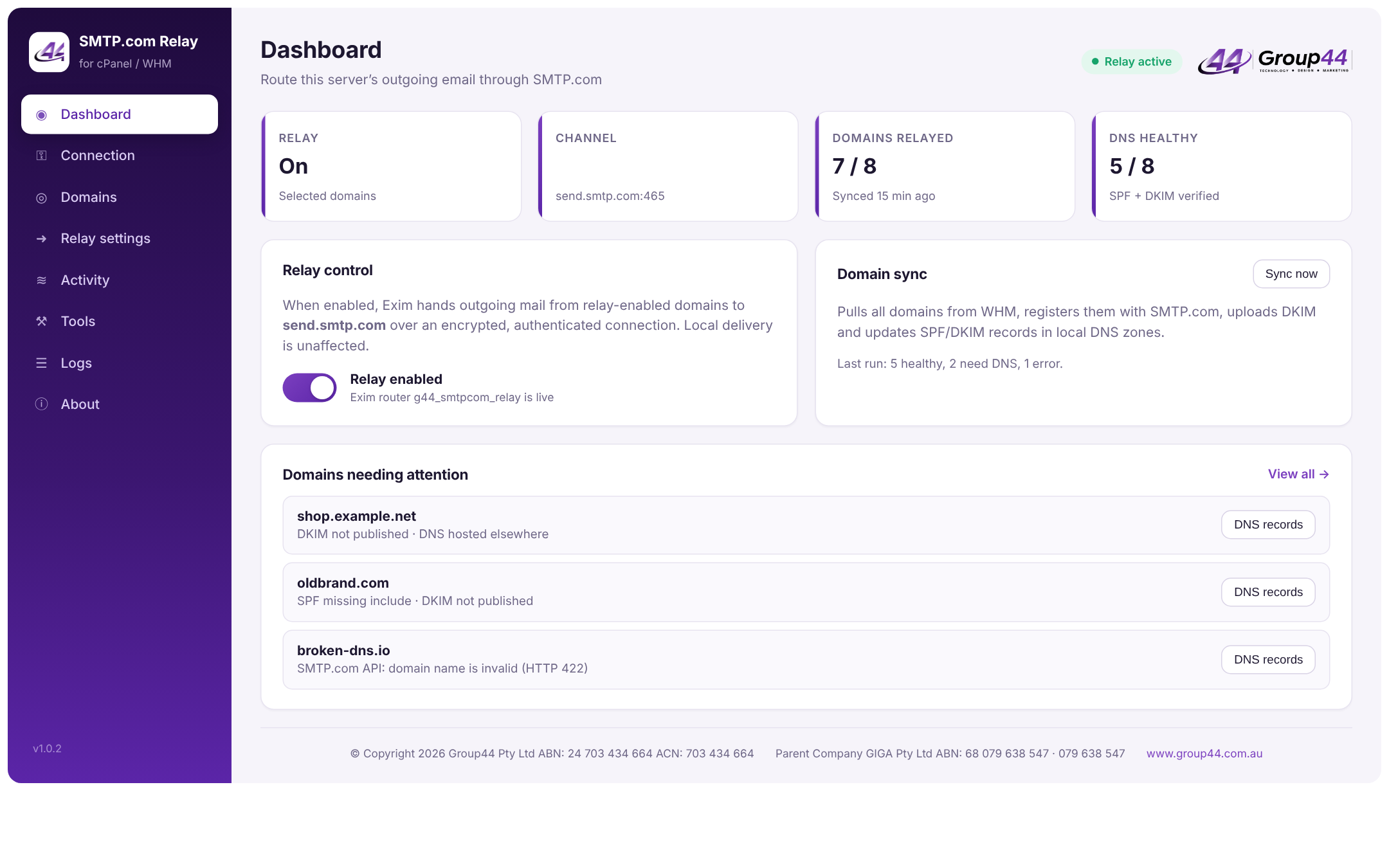
Connect SMTP.com, choose domains, watch delivery
cPanel page
Read-only page at Email › SMTP.com Email Delivery
g44-smtpcom
Command-line tool, run as root from any directory
Features
What You Get
Outgoing Mail Relay
Exim sends mail from enabled domains to SMTP.com, logging in with the channel’s SMTP username and password. Messages up to 50 MB go through.
Encrypted Delivery
Port 465 with SSL/TLS by default. Ports 587, 2525 and 25 use required STARTTLS. SMTP.com’s certificate is verified by default.
Safe Exim Integration
Adds clearly marked blocks to /etc/exim.conf.local, backs up first and keeps the 10 most recent backups. If Exim rejects the config, the backup is restored.
Mail Is Never Dropped
If SMTP.com can’t be reached, Exim defers the message and retries on its normal schedule.
Automatic Domain Discovery
Reads every domain from WHM, including addon domains and optionally parked domains and subdomains, and registers each with SMTP.com.
DKIM Signing Keys
Each domain gets its own 2048-bit RSA DKIM key, generated on the server and published as a TXT record. The selector defaults to smtpcom.
SPF and DMARC Records
Adds include:_spf.smtp.com to the existing SPF record, keeping other entries. Optionally creates a DMARC record if none exists.
Relay Scope
Relay selected domains only, or every sender on the server. Turning a domain on or off takes effect at once, with no Exim restart.
Automation
An hourly sync, plus hooks that start a sync when an account, addon domain, parked domain or subdomain is created or removed.
Testing and Diagnostics
Relay test through Exim, API test, port test for 465, 587, 2525 and 25, SMTP.com message activity and plugin logs.
DNS Health Checks
After every sync, the plugin checks live SPF, DKIM and DMARC records in public DNS and marks each domain healthy or DNS incomplete.
Customer Page
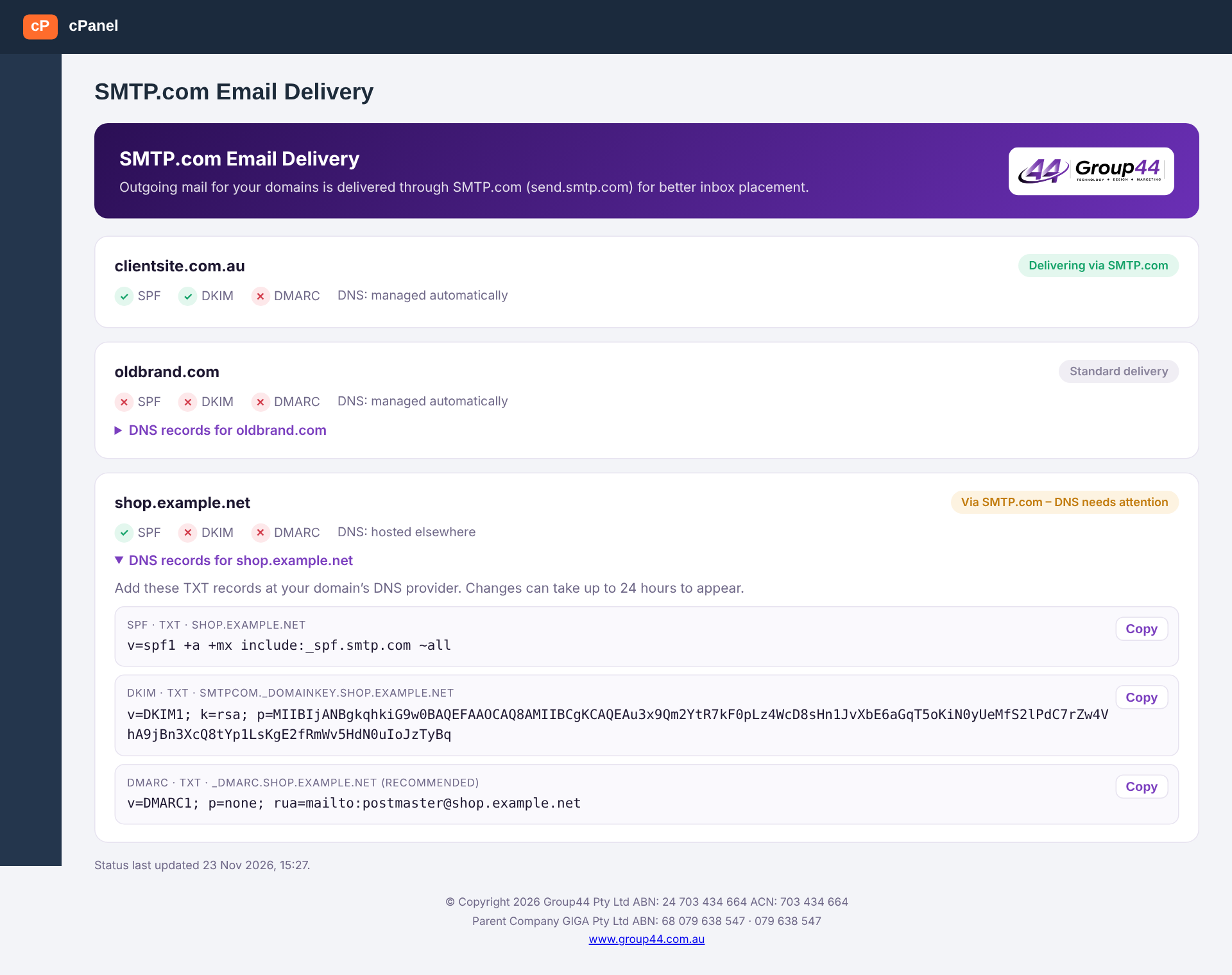
Each customer sees only their own domains in cPanel, read-only, with copy-ready SPF, DKIM and DMARC records. Show or hide it per package in Feature Manager.
Screenshots
Inside the WHM Plugin
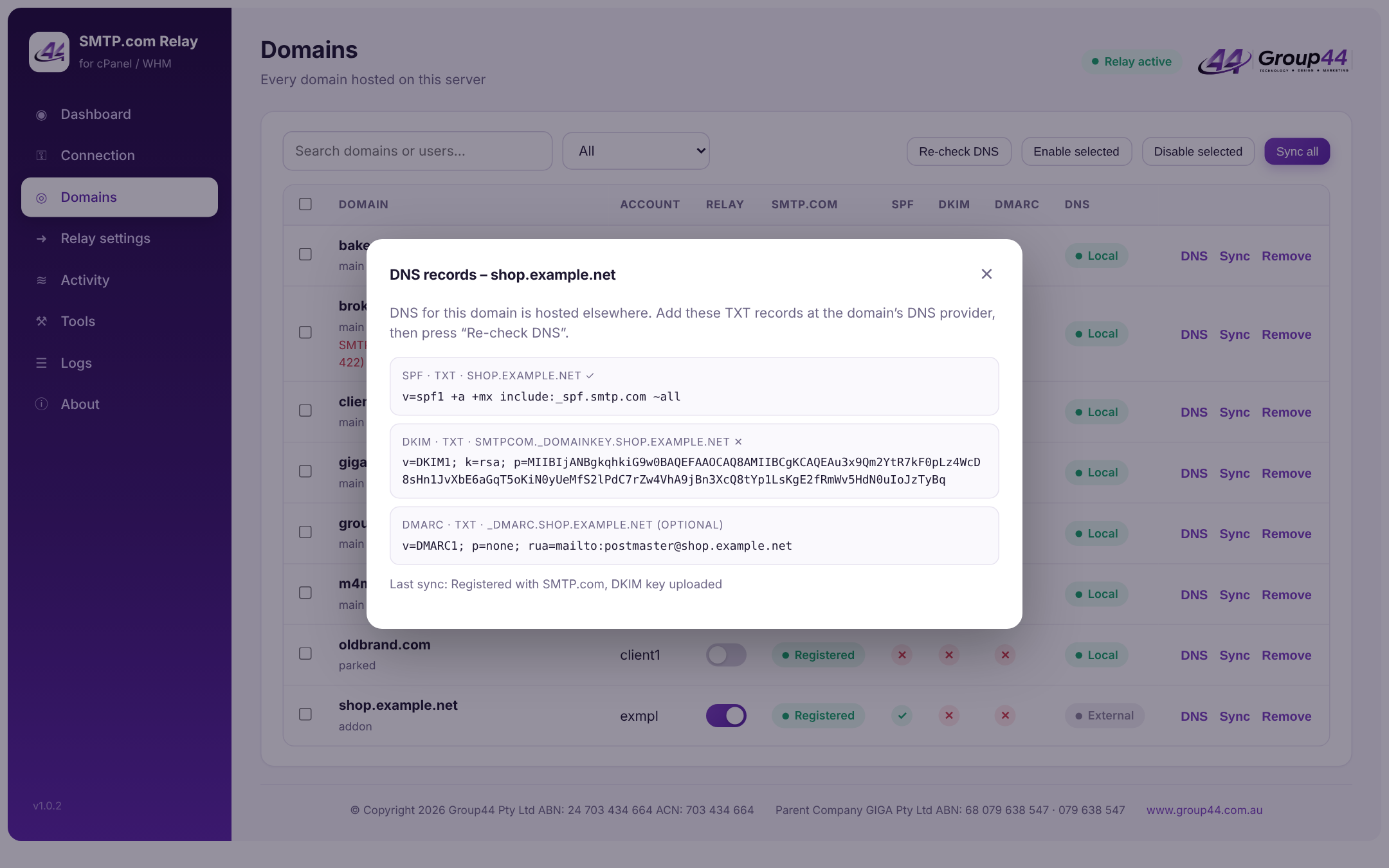
DNS Records
For domains with DNS hosted elsewhere, copy the SPF, DKIM and DMARC records to the DNS provider.
cPanel User Page
Each hosting customer sees their own domains, delivery status and DNS records.
Requirements
Before You Begin
Control Panel
cPanel & WHM 102 or later. The cPanel page uses the Jupiter theme.
Access
Root SSH access to the server.
PHP
cPanel’s own PHP 7.4 or newer with the openssl extension. The installer checks both.
Mail Server
Exim, as installed by cPanel.
Outbound Network
api.smtp.com on port 443, and send.smtp.com on 465, 587 or 2525.
SMTP.com Account
An active SMTP.com account with an API key and a channel (also called a sender).
API key
SMTP.com dashboard › Account › API Access
Channel
Needs an SMTP username and password. The plugin can create one for you.
DNS (optional)
Added automatically if the server hosts the zone. Otherwise add records at the external DNS provider.
Blocked ports
Many cloud providers block outbound port 25 and sometimes 587. Use 465 or 2525.
Installation
Install in a Few Commands
Installation takes about one minute and does not change how mail is sent. Exim keeps delivering directly until you switch the relay on.
1
Upload the plugin zip to the server, for example into /root, using SCP, SFTP or WHM’s File Manager
2
Log in over SSH as root and run the commands
3
Wait for “Installation complete”. Each step prints a green tick.
4
Open WHM and go to Plugins › SMTP.com Relay. If the menu entry is missing, reload WHM.
					cd /root
unzip g44-smtpcom-whm-1.1.1.zip
cd g44-smtpcom-whm
bash install.sh

# check the install
g44-smtpcom version
g44-smtpcom status
Order SMTP.com Relay for cPanel WHM
$10.00 per month. Questions about the plugin? Contact our team. SMTP.com is a trademark of its owner. This plugin is not affiliated with or endorsed by SMTP.com.